Payment Help
Pay with QR Code
Create a QR on our website, save it, then scan it from your gallery in your Easypaisa or JazzCash app. Watch the video, or follow the PDF with screenshots.
Full walkthrough
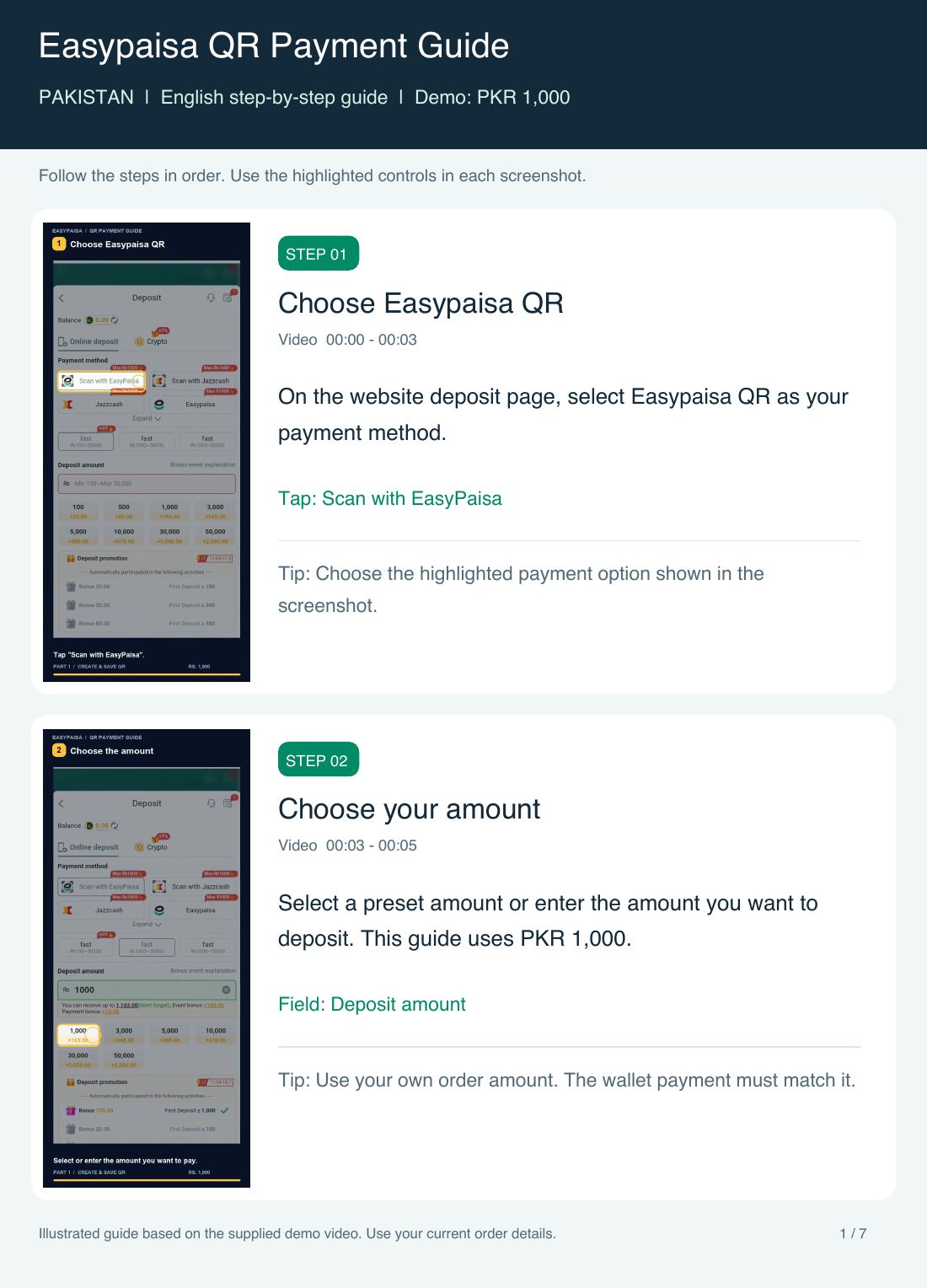
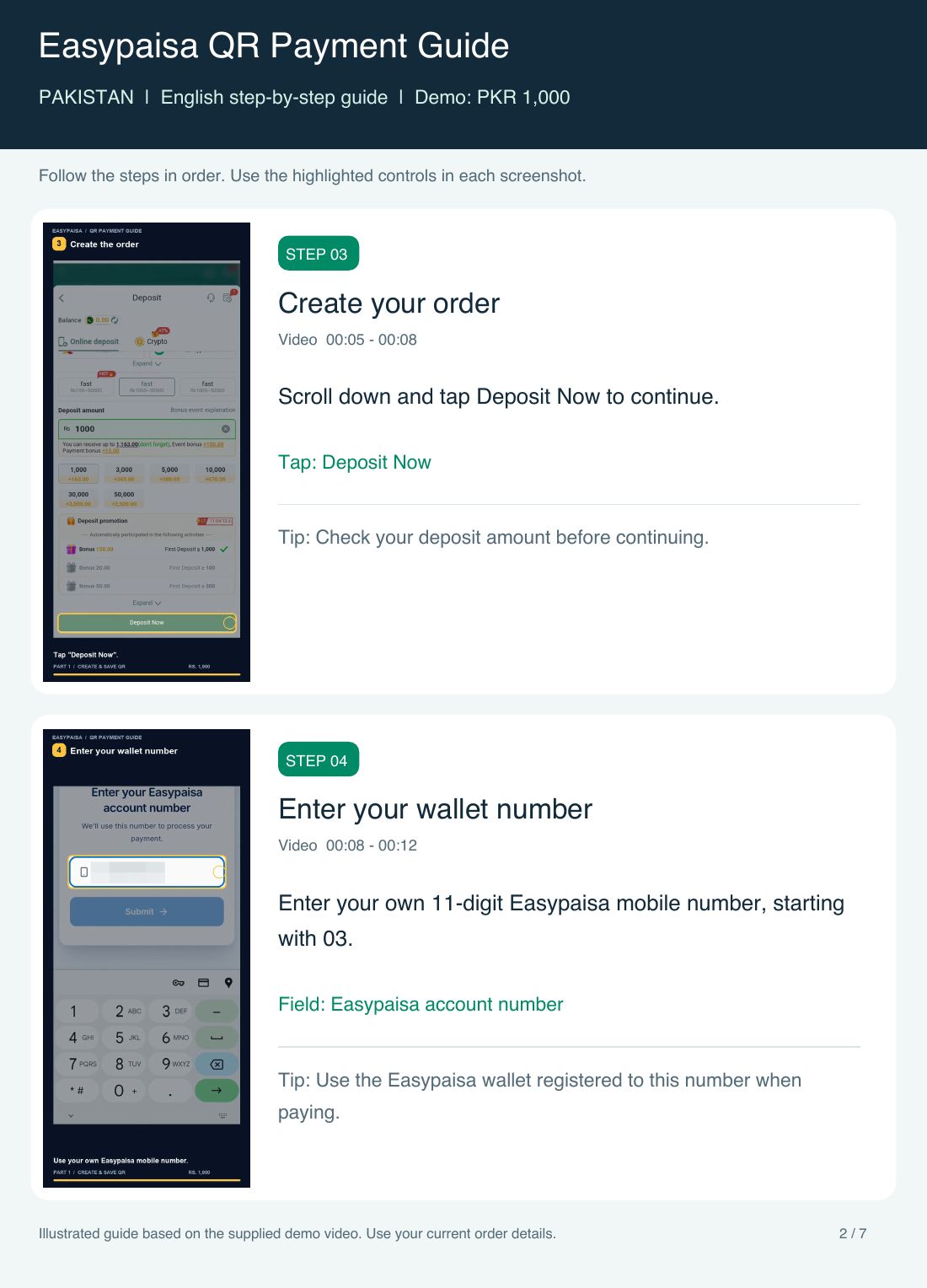
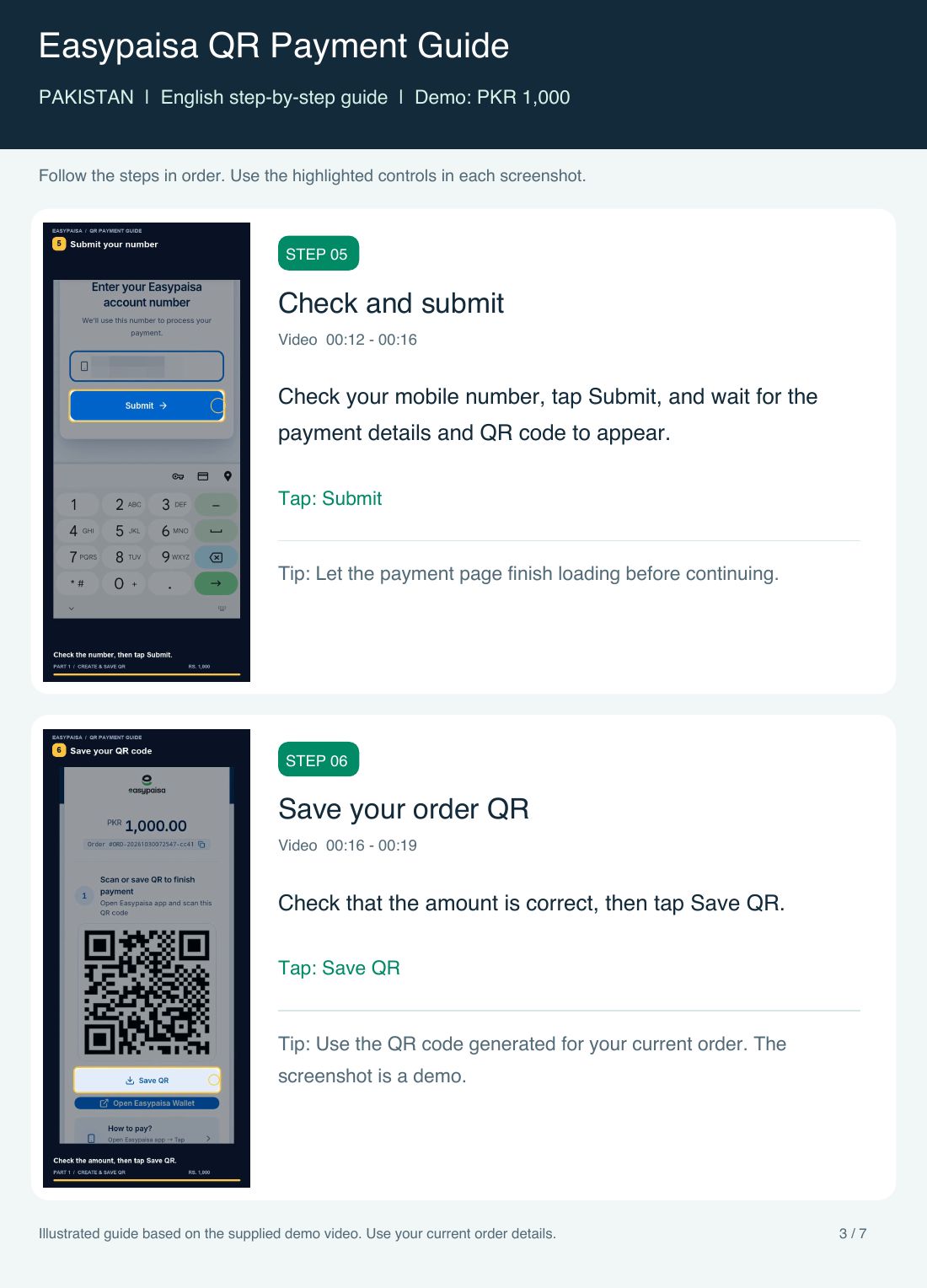
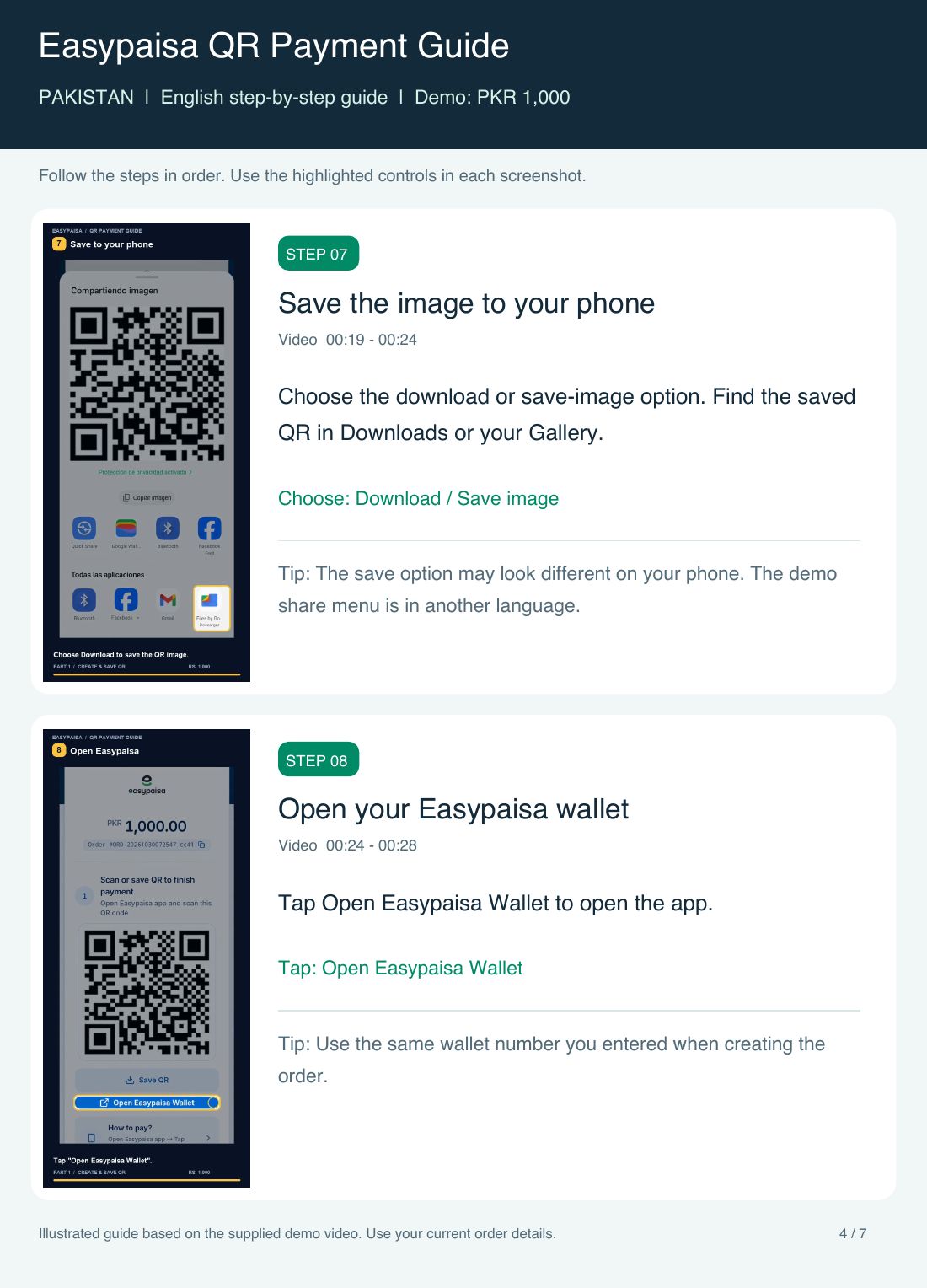
Part 1 · On our website
- 1Choose Scan with Easypaisa or Scan with JazzCash as the payment method.
- 2Select or enter the amount you want to pay.
- 3Scroll down and tap Deposit Now.
- 4Enter your own 11-digit wallet number starting with 03.
- 5Check the wallet number, then tap Submit.
- 6Wait for the payment details to appear.
- 7Check the amount, then tap Save QR.
- 8Choose Download to save the QR image.
- 9Find the image in Downloads or your Gallery.
Part 2 · In your wallet app
- 10Tap Open Wallet on our website (Open Easypaisa Wallet in the video). Use the same number as step 4.
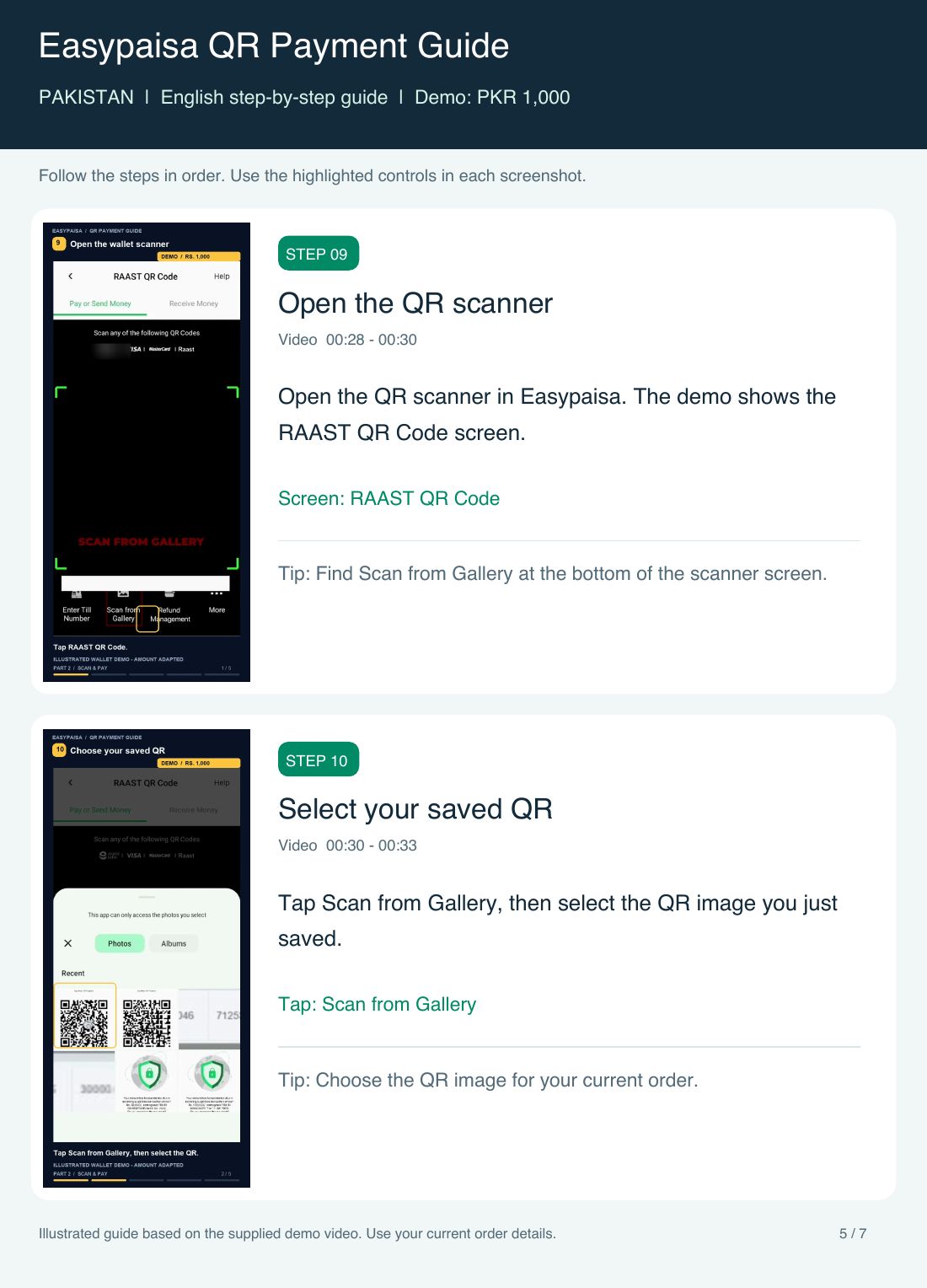
- 11Open the QR scanner in your wallet app (RAAST QR in Easypaisa).
- 12Tap scan from gallery (Scan from Gallery in Easypaisa) and pick the saved QR.
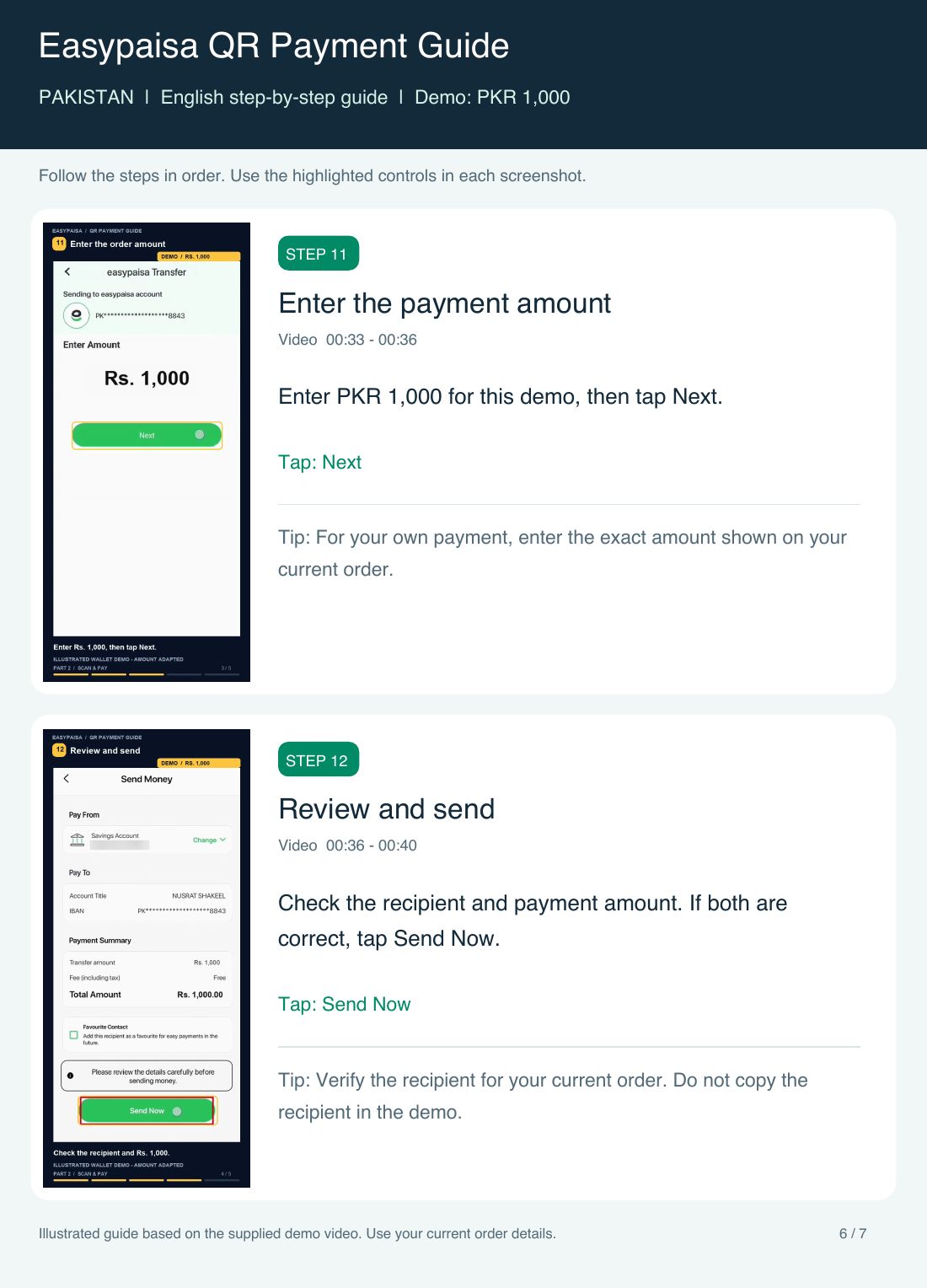
- 13Enter your order amount (Rs 1,000 in the video), then tap Next.
- 14Check the receiver and amount, then tap Send Now.
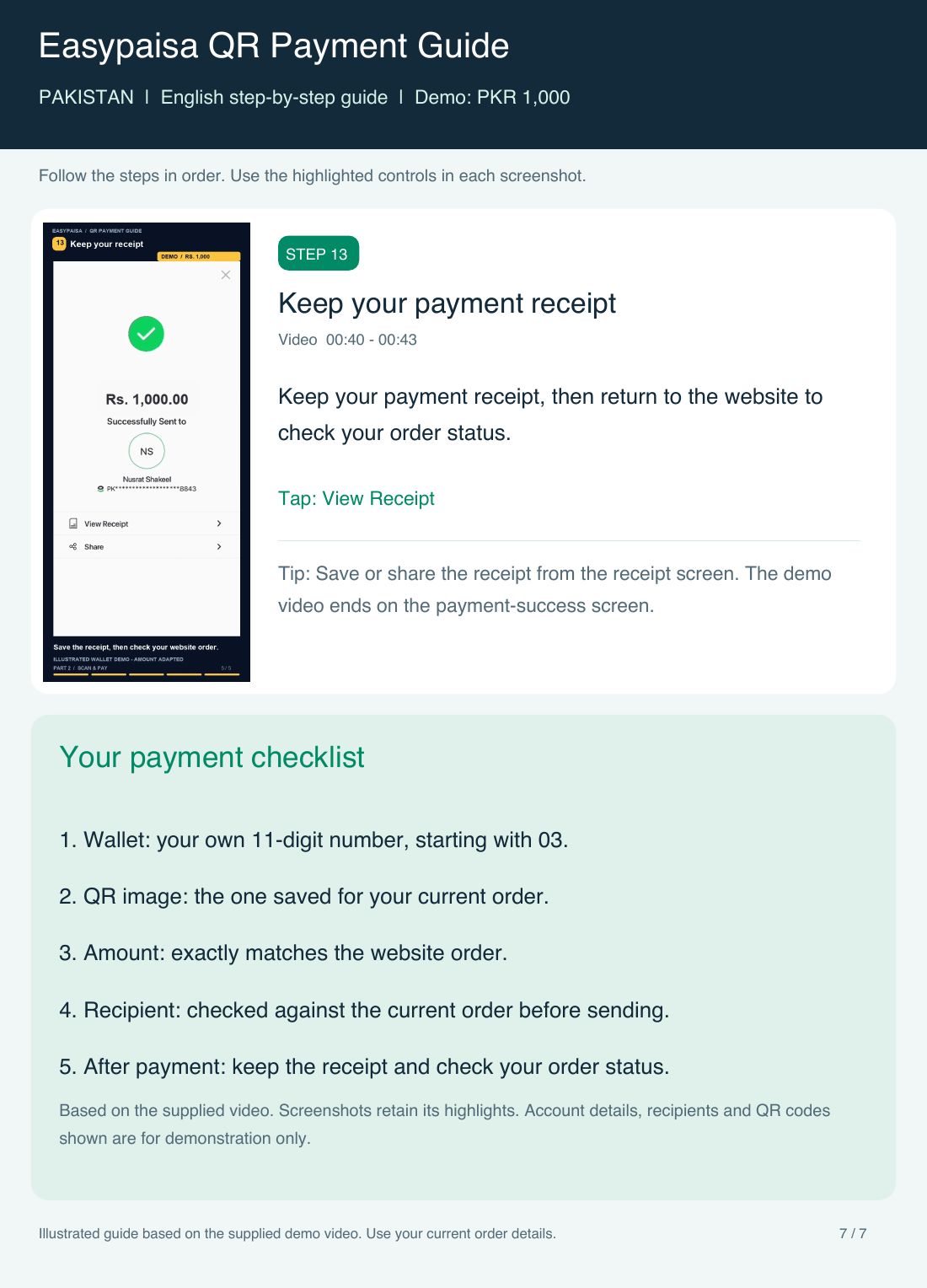
- 15Keep your receipt, then check your order on the website.